Why Claude Code Is Skipping the IDE for Background Tasks
The `-p` flag lets Claude work unattended, freeing developers from the terminal.
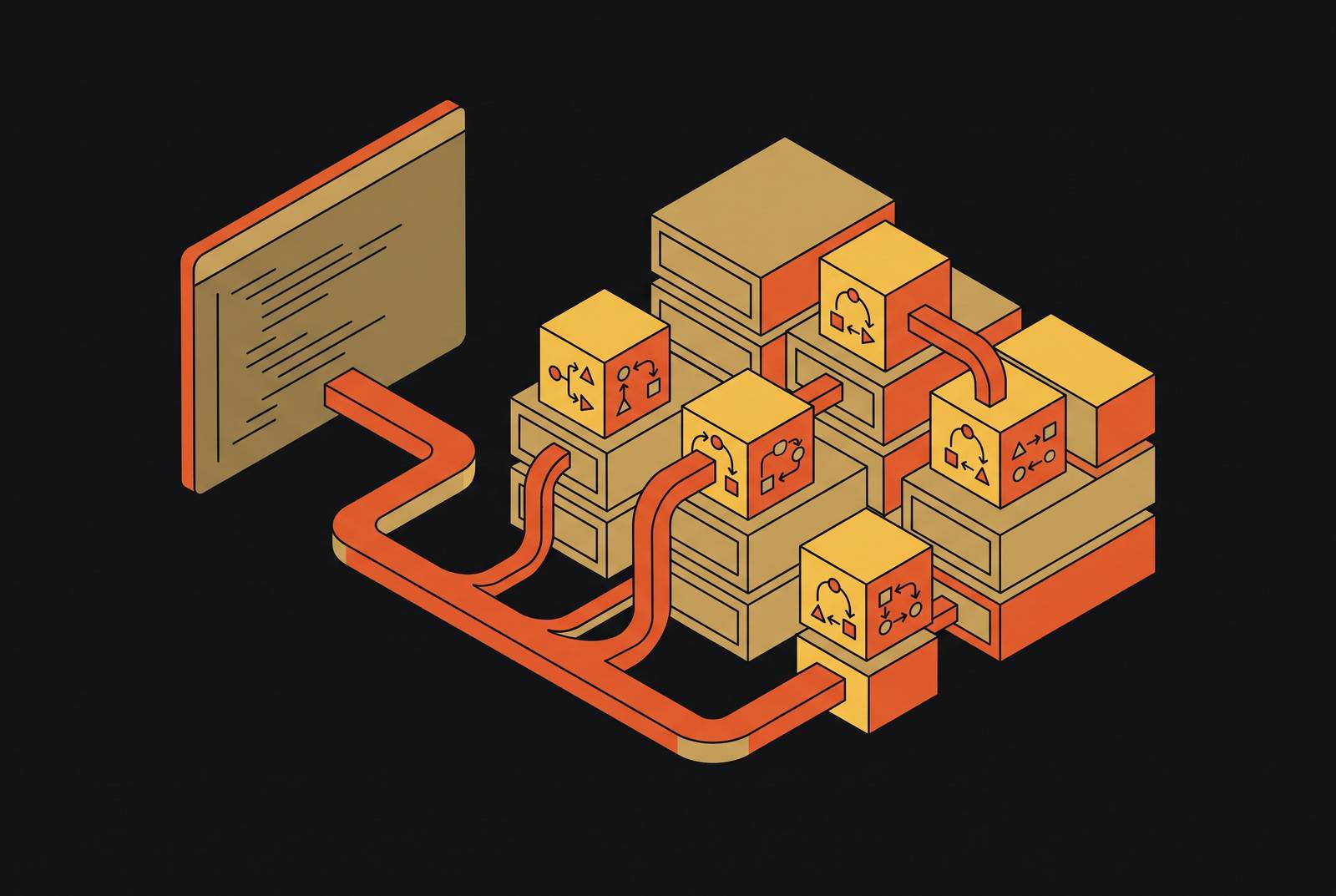
Claude Code is moving beyond IDE-centric interaction because a developer does not need to watch bounded engineering work as it runs. The architectural shift is from conversational assistance to programmatically invoked agents. For teams evaluating a multi-harness cloud coding agent platform, the key distinction is whether workflows remain independent of the agent harness, with execution, isolation, integration, and attribution treated as separate concerns.
Why the IDE loop breaks down for team-scale work
The interactive terminal follows a familiar rhythm of typing, approving, and watching. That rhythm suits a developer who is coding now. It is less suitable for adding tests or upgrading dependencies, where the work is bounded and the result can be reviewed after completion. Making someone stay at the terminal ties the work to their attention, even when the task itself does not need it.
That coupling limits the benefit to the individual developer. A developer supervising one interactive session remains occupied with that agent, even when other tasks could run unattended in parallel. The constraint is structural. Team-scale execution needs a unit of work that can start, proceed, and return a reviewable result without keeping its requester in the conversational loop.
The architectural shift: from assistant to invokable agent
The -p flag changes Claude Code’s execution model. Instead of opening a conversational loop, claude -p "prompt" accepts an instruction, performs the work, and exits when execution is complete. With structured output selected, it behaves like a callable function. A bash wrapper, Python subprocess, Node.js worker, GitHub Action, or cron job can invoke it and capture the response.
Claude Code’s headless documentation calls this the Agent SDK, which makes the same tools, agent loop, and context management available through the CLI or Python and TypeScript packages. The caller replaces the person at the terminal. That substitution also changes what the output must provide, because an automated workflow needs more than readable prose. The --output-format json option returns the result, session ID, token usage, and cost per run, giving callers the information needed to audit invocations and connect their results to subsequent work.
The four background mechanisms and what separates them
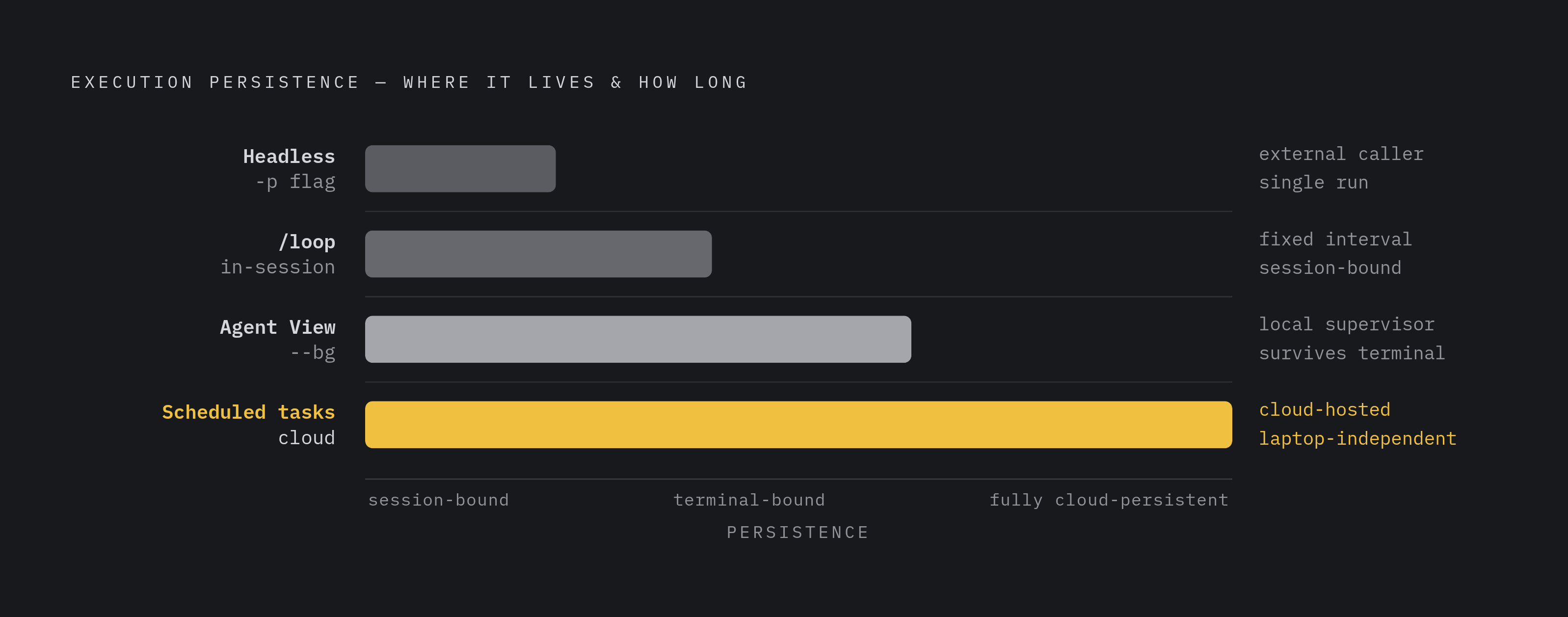
Headless execution is one of four distinct background mechanisms. A headless run works for an external caller, while Agent View, opened through claude agents or claude --bg, uses a supervisor that runs outside the terminal to manage persistent local sessions. Those sessions survive terminal closure. Each remains a full Claude Code conversation with its skills, hooks, MCPs, and permissions, and can be reviewed through claude agents from a new terminal.
The distinction between detachment and backgrounding is important here. /bg, an alias for /background, detaches the entire session. It does not background a single Bash command or subagent.
The other two mechanisms address recurrence rather than detachment. /loop repeats a prompt at a fixed interval within an active local session and stops when that session closes. Scheduled tasks, formerly Routines, run in the cloud on claude.ai, triggered by a schedule, an authenticated API request, or GitHub events. The laptop need not remain on for them. Location, lifetime, trigger, and quota consumption distinguish these mechanisms.
Headless mode: the production-grade execution pattern
Headless mode fits the infrastructure that already executes production workflows, including pipelines, scripts, cron jobs, and webhook handlers. A basic invocation uses claude -p "prompt" with --allowedTools to pre-approve specific tools and avoid permission prompts. The process becomes part of the existing job. Its structured response lets that job capture the result without depending on an interactive terminal.
For reproducible CI execution, --bare removes much of the implicit local setup. It skips auto-discovery of hooks, skills, custom commands, subagents, installed plugins, MCP servers, auto-memory, and CLAUDE.md, reducing startup time and differences caused by teammates’ configurations. Authentication must also be explicit in this mode. Bare mode never reads OAuth credentials, so ANTHROPIC_API_KEY must be present in the environment, or an apiKeyHelper must be supplied through --settings. There is a partial exception to discovery behavior, because skills load from a directory named with --add-dir, while that directory’s commands and agents folders remain excluded.
After Claude finishes its turn and stdin closes, a -p run stays open to wait, but unless a background command is still running, a configurable idle window limits that wait and drops the partial result when reached. CLAUDE_CODE_PRINT_BG_WAIT_CEILING_MS controls that limit. The run stays open until subagent work finishes because its result needs to be in the final output. Headless runs also create session records by default, preserving history and context across invocations, whereas stateless execution avoids inherited context for CI/CD jobs that prioritize reproducibility.
Running headless agents safely: permissions and sandboxing
The default permission model asks for human approval before state-modifying tool calls, creating an obvious obstacle for unattended jobs. Removing those prompts does not remove the underlying risk. The relevant security decision for using --dangerously-skip-permissions therefore concerns the environment. That flag is appropriate only when a compensating boundary, such as an isolated disposable Docker container, constrains the agent.
Credential exfiltration is the central threat in this model. A prompt-injected shell can read available credentials and send them out, so disposal after execution is not sufficient by itself. Filesystem isolation and restricted network egress address that exposure. Docker hardening choices include a non-root user, a read-only root filesystem, --cap-drop ALL, no-new-privileges, and an egress allowlist. These controls place enforcement outside the agent’s internal guardrails.
A narrower alternative is a permission policy that allowlists specific tools for CI/CD and shared environments. The choice depends on the permitted work and its isolation. Shared execution needs both a security boundary and dependencies that are kept in the same state. Kit-based Docker approaches load an environment from a Git URL or OCI registry so teammates can use the same setup without a separate clone or setup script.
Background tasks that Claude Code manages automatically inside a session
Claude Code also backgrounds work on its own within an existing session, without a developer starting a headless run or detaching a conversation. These behaviors are enabled by default. A slow Bash command that exceeds its timeout moves to the background rather than being killed, allowing the conversation to continue. Its output goes to a file that Claude can retrieve with the Read tool, and backgrounding can also be triggered with Ctrl+B or a prompt.
Subagents have run in the background by default since v2.1.198. Fork mode, which enforces that behavior in interactive sessions, has been on by default since v2.1.232. Claude keeps working and gets a notification when the subagent finishes. Fork mode is off by default under -p and the Agent SDK, so interactive behavior should not be assumed to describe headless execution.
Slow MCP calls have a separate automatic path. Since v2.1.212, a main-conversation tool call still running after two minutes moves to a background task, with its result arriving as a notification. CLAUDE_CODE_MCP_AUTO_BACKGROUND_MS changes the threshold, while 0 disables the behavior. Subagent calls and calls to IDE servers are excluded, and an open elicitation dialog defers the move until the dialog closes. CLAUDE_CODE_DISABLE_BACKGROUND_TASKS=1 turns off all three automatic behaviors, while narrower switches control them separately.
Context management for long-running and looping background work
Context rot is the main way that long-running background work fails. Each iteration adds output from earlier work to the same context window, and multiple work streams compete for that space. The agent’s coherence degrades as accumulated history grows. A loop can therefore remain operational while becoming progressively less effective at the task it was meant to complete.
For multi-iteration work, the recommended pattern is to run the loop in bash and invoke claude -p fresh on each iteration. Each invocation begins with a clean context window. This separates the mechanism that repeats the work from the agent that reasons about one iteration. It also avoids using a single conversation as both the execution loop and the permanent record of everything it has done.
Continuity then belongs in an explicit file such as PROGRESS.md. Individual tasks remain in Linear or GitHub issues, while this file records what has been accomplished at a higher level. At each iteration’s start, the agent reads it. At the end, the agent writes what it accomplished, preserving useful cross-session memory without importing the entire prior conversation.
Subagent transcripts provide another form of context separation. Each conversation is stored in a separate sidechain file, preventing its content from inflating the parent context window. The CLAUDE.md and memory subsystem adds an instruction hierarchy with four scopes, from managed policy to local project files, along with auto-memory entries written during conversations. Token caching remains a separate cost concern, because blocking builds or test sweeps that outlast the default prompt cache TTL can cause repeated full-context writes. Teams running overnight batches should account for that risk before treating unattended runtime as inexpensive runtime.
Workflow integrations: how engineers trigger agents and receive results
Background execution becomes useful to a team when work comes in and goes back through Slack, Linear, and GitHub, without engineers having to watch a separate interface. The trigger is only half of that integration. A completed run also needs to return its result to the place where the team discusses or reviews the work. Execution and delivery are distinct parts of the workflow.
Linear illustrates why that distinction must remain explicit. There is no native “assign to Claude” capability in Linear. Teams have constructed loops in which the agent comments on an issue with a summary and moves it to “In Review” when it considers the work ready. That behavior belongs to the integration.
The your-claude-engineer architecture uses specialized Linear, Coding, GitHub, and Slack agents coordinated by an orchestrator to support longer autonomous sessions without context-window exhaustion. Its integrations run through an Arcade MCP server, which provides OAuth authentication across Linear, GitHub, and Slack through one gateway. For a team seeking Slack-triggered work that returns a GitHub pull request, this separation is a concrete architectural criterion rather than a capability to infer from the phrase “background agent.”
Choosing a mechanism: the decision that determines whether background agents scale
The first decision is whether execution belongs on the developer’s machine or must proceed without anyone at a keyboard. Agent View keeps local sessions running, while scheduled tasks run in the cloud without depending on the laptop. Lifetime is the next discriminator after execution location. Headless -p suits a scripted job that runs once, /loop suits a check that repeats at intervals within an active session, and scheduled tasks suit work that must keep recurring after the session closes.
The trigger and degree of parallelism refine that choice. Work that a developer starts can use Agent View or headless execution, while API and GitHub-event triggers can start scheduled tasks. Agent View’s supervisor can manage more than one local session. Work spread across repositories or branches can also use a fleet of headless runs coordinated by a script or platform. Using /loop for durable automation, by contrast, binds the job to a session whose lifetime does not match its purpose.
For a multi-harness cloud coding agent platform, harness independence is the organizational test. The Slack trigger, Linear comment, and GitHub pull request should still be part of the workflow when the agent behind it changes. Otherwise, changing tools also means rebuilding the automation around them. Parallel execution introduces a further requirement for attribution, connecting each commit to the agent, model, and run that produced it. Without that connection, more work in the background makes it harder to tell how much productivity has improved.